I bought YouTube Premium on GamsGo. Here's exactly what happened
One month, paid on November 4, 2026, logged minute by minute: what it cost, what I had to hand over, how long it took, and what showed up in my YouTube account. I'm keeping it for 30 days and will come back with the result.
Disclosure: I paid for this order with a $10 credit that GamsGo gave me. They didn't see this article before it went up. Links to GamsGo on this page are referral links, so I earn a commission if you buy through them, at no extra cost to you.
The short version
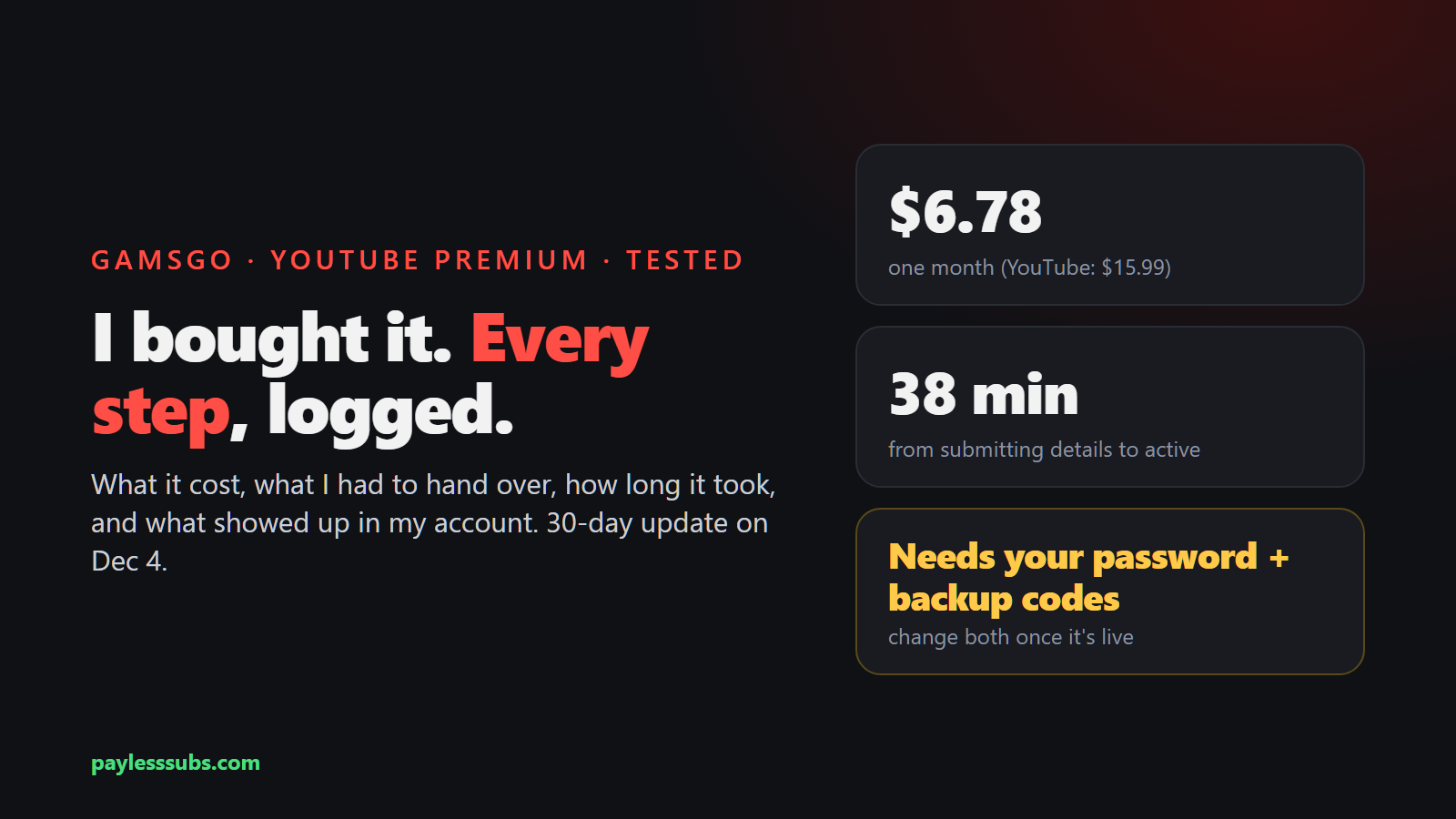
- One month cost $6.78: $6.99 without auto-renew, minus about 3% with my code NDGAM.
- Premium went live on my own Google account as an Individual membership. No family group, no shared login.
- To activate it, I had to give GamsGo my Google email, password and backup codes. Their team signs in and sets it up.
- It was active 38 minutes after I submitted my details (GamsGo promises within 24 hours).
- Once it's live, change your password and generate new backup codes. After that, GamsGo can't get back into your account.
What I bought and what I paid
GamsGo's YouTube page has one product right now: Monthly recharge (24 hours), one month at a time. You choose whether to turn on auto-renew, which changes the price:
| Option | Price | With code NDGAM |
|---|---|---|
| 1 month, auto-renew on | $6.49 | about $6.30 |
| 1 month, auto-renew off (what I bought) | $6.99 | $6.78 |
| YouTube Premium Individual, from YouTube (US) | $15.99 | n/a |
I turned auto-renew off because I only wanted one month for the test. The code took $0.21 off, which is the 3% GamsGo gives on repeat orders (first-time customers get 5% on YouTube).
At payment, GamsGo offered cards, crypto and Binance Pay, plus a toggle to pay with account points. I used the points, so the total at checkout was $0.00.
Before you pay, GamsGo shows a notice that's easy to click past. It says you'll need to provide your Google account and password after buying, plus either backup codes or a live sign-in prompt, and that it can't activate an account that still has an active Premium subscription.
Step by step: from payment to Premium
| Time | What happened |
|---|---|
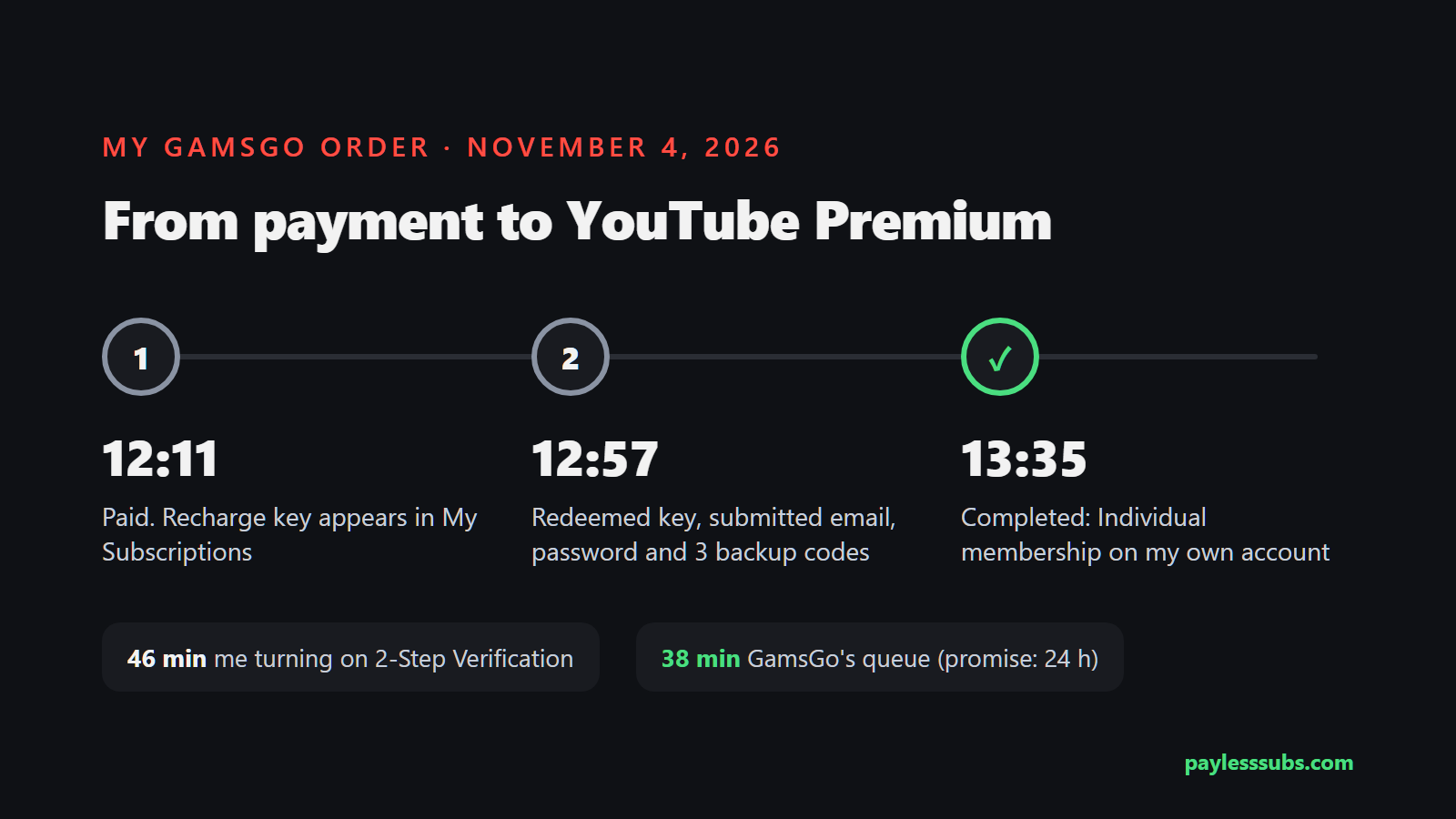
| 12:11 | Paid. GamsGo messages me: "Your YouTube has been delivered, one more step." |
| 12:11 | A recharge key appears under My Subscriptions, with a link to the activation page |
| 12:57 | Redeemed the key on the activation page, then submitted my Google email, password and 3 backup codes. Status: queued |
| 13:35 | Status: completed. Premium active until December 4 |
The activation doesn't happen on gamsgo.com. The link in your order opens a separate GamsGo-branded page on another domain (client.vexlura.com), in three steps: redeem your key, fill in your details, then watch a progress page that shows your place in the queue.
The 46 minutes between paying and submitting my details were my fault, not GamsGo's. My test account had an authenticator app set up, but 2-Step Verification itself was never switched on, so there were no backup codes to give. Turning it on and generating codes took a while. If your backup codes are ready, this part should only take a few minutes.
What you have to hand over
This is the part to think about before you buy. The details form asks for:
- Your full Gmail address and your Google password. The form asks you to sign in with them once first, to make sure they're right.
- How they'll get past 2-Step Verification. Two choices: offline, where you give them up to three backup codes and don't need to be around, or online, where you agree on a time and approve a Google sign-in prompt on your phone.
- Whether the account already has Premium, including through Apple, a carrier or a family group. If it does, they bounce the order back.
I chose offline with three backup codes. Here's how to do it without leaving the door open:
- Generate a fresh set of backup codes at Google Account > Security > 2-Step Verification > Backup codes. Don't regenerate them again until activation is done, or the ones you gave become useless.
- Give GamsGo three codes and keep the rest.
- While you wait, don't sign in or change the password. If Google warns you about a new sign-in, that's their team, so don't tap "No, it wasn't me."
- Once the status says completed, change your password and generate new backup codes. That cancels every code they have, and they can't sign in again.
If you're not comfortable giving anyone your Google password, even for half an hour, this isn't for you. Use a cheaper official plan instead. I compared them all in my YouTube Premium price breakdown.
What showed up in my YouTube account
When the progress page turned to completed, it said Premium was valid until December 5 and showed a "top-up proof" screenshot. That screenshot was a generic example from a different account, not mine, so check your own settings instead.
In my account, the membership shows as an Individual plan at ₹195 a month, billed through Apple, with an expiry date of December 4 and renewal turned off. That's India's price, so GamsGo appears to be buying it cross-region. YouTube's terms say Premium should be used mainly in the country where it was bought, which is exactly why I'm running a 30-day test: I'll update this article on December 4.
Everything else looks the way it should. It's my own account, with my own history and recommendations, and I'm not in anyone's family group.
Renewing next month
With auto-renew off, nothing happens when the month ends. You buy again and go through the same steps, password included.
With auto-renew on, GamsGo charges you before the month ends and sends a new key, but its FAQ says you still go back to the activation page and submit your details again, password included. So auto-renew saves you $0.50, not the hassle.
What I liked, and what to know first
- Fast. 38 minutes from submitting my details, against a 24-hour promise.
- Cheap. $6.78 against $15.99 from YouTube.
- Your own account. Individual membership, no family group, no shared login, your history stays yours.
- You hand over your login. Password plus backup codes, for every month you buy. Change them each time it's done.
- Mixed messages on the product page. Parts of it still describe the older family-invite method. My order was a recharge, not a family invite.
- Refunds are tight. GamsGo's easy-refund window is 24 hours, with fees deducted. The details are in my full GamsGo review.
The 30-day log
| Date | Status |
|---|---|
| Nov 4, 2026 | Bought, activated in 38 minutes, Premium working |
| Dec 4, 2026 | Update coming: did it last the full month? |
FAQ
Is GamsGo YouTube Premium legit?
In my test, yes: I paid on November 4, 2026, and Premium was active on my own Google account 38 minutes after I submitted my details. It showed as an Individual membership. I'm keeping it for the full 30 days and will update this review on December 4 with whether it lasted.
Does GamsGo need my Google password for YouTube Premium?
Yes. After you pay, you give GamsGo your Gmail address, your password and either backup codes or a live Google sign-in prompt, and their team signs in to activate Premium. Once it's active, change your password and generate new backup codes so they can't sign in again.
How long does GamsGo take to activate YouTube Premium?
GamsGo says up to 24 hours. Mine took 38 minutes from submitting my details, and 1 hour 24 minutes from payment, most of which was me turning on 2-Step Verification to get backup codes.
Is it a family plan or an individual plan?
Mine was an Individual membership on my own account, not a seat in someone's family group. That means the YouTube family plan rules, like the same-address check, don't apply to it.
Can I share GamsGo YouTube Premium with my family?
No. It's an Individual membership, so only the account it's activated on gets Premium.
Does GamsGo YouTube Premium renew automatically?
Only if you turn on auto-renew at checkout ($6.49 instead of $6.99). Even then, GamsGo's activation FAQ says each new month comes with a new key, and you submit your details again, including your password. I left auto-renew off.
What if I already have YouTube Premium?
GamsGo says to wait until your current subscription has fully expired before buying. It can't activate on an account that still has an active Premium plan, including one from Apple, a carrier or a family group.
How much is YouTube Premium on GamsGo?
One month was $6.99 without auto-renew and $6.49 with it on November 4, 2026. Code NDGAM took about 3% off my order. YouTube's own US price is $15.99 a month.
Want to try it yourself? Start with one month, and enter NDGAM at checkout for 5% off a first YouTube order.
YouTube Premium on GamsGo →